 Phishing scams are one of the most effective security threats to your business right now.
83% of organizations said they suffered successful attacks last year. And with just under a third of phishing emails being opened, the chances that someone in your business will be fooled are high.
But to avoid making matters even more pressure-packed, the cybercriminals have borrowed a technique from the various ransomware groups designed to panic people into acting and giving away their login details.
This new kind of phishing attack begins like most others.
You get an email alerting you to potentially suspicious activity on your account. For example, it might say someone is trying to log in from a different location or device, and the attempt has been blocked.
You’re asked to click a link to verify your email address and password.
That’s concerning enough.
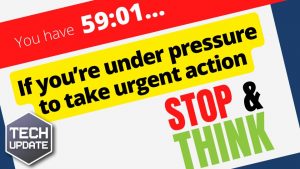
But what makes this phishing attack even more compelling is a countdown timer on the screen.
Typically, the timer is set at one hour, and you’re asked to confirm your details before the countdown ends; otherwise, your account will be deleted.
Yes, DELETED! And that catches a lot of people’s attention.
This powerful manipulation tactic is designed to scare people into taking immediate action – and think later.
In reality, if that countdown hits zero, nothing will happen. But watching the seconds count down can give you a sense of urgency that makes you forget to check whether an email is the real deal or not.
The page you’re entering your details on is fake. Criminals will steal your details and log in to your real account. That’s a significant problem you never want your business to face.
You’ll be at risk of data theft, financial loss, or malware and potentially putting other accounts at risk (if you’ve reused your password).
Your login details may even be sold on the dark web, allowing other cybercriminals to enter your account.
Here are some basic phishing protections for you and your team.
Look at the email address the email has been sent from. Please make sure the spelling and grammar are correct and hover over the links to see what website address they are trying to send you.
You should immediately change your login details if you think you’ve fallen for this scam. Don’t click a link in an email – type in the website address in your browser after verifying it goes to where you think it should go.
We also recommend using a password manager. This software will create long and strong random passwords that are impossible to guess for every account you have while remembering them for you.
It will store these passwords for you. And autofill login boxes to save you time (yes, most password managers detect when they’re being asked to fill in details on a different page, such as a fake phishing page) and add an extra layer of security while saving you time.
Share this article with your staff and friends right now. And if anyone ever clicks a link they’re unsure about; you can ask us how to keep your business safe.
#CyberCriminals #PhishingAttacks #CountdownTimer #Ugency